Billing
How plans, payments and canceling work. Open 💳 Billing at the bottom left of the dashboard.
Plans#
- On a monthly plan you can create as many servers as you like, each with the plan's memory. One can always be running; more can run at the same time when the machine has spare memory.
- Lifetime is paid once: 4 servers of any type and version, 2 proxies and priority support, with no monthly bills.
- Plans are billed monthly, starting the day you buy them, by card through our secure payment provider. We never see your card number.
- Want another server? Billing → + Another server on any plan. Each plan renews and cancels on its own.
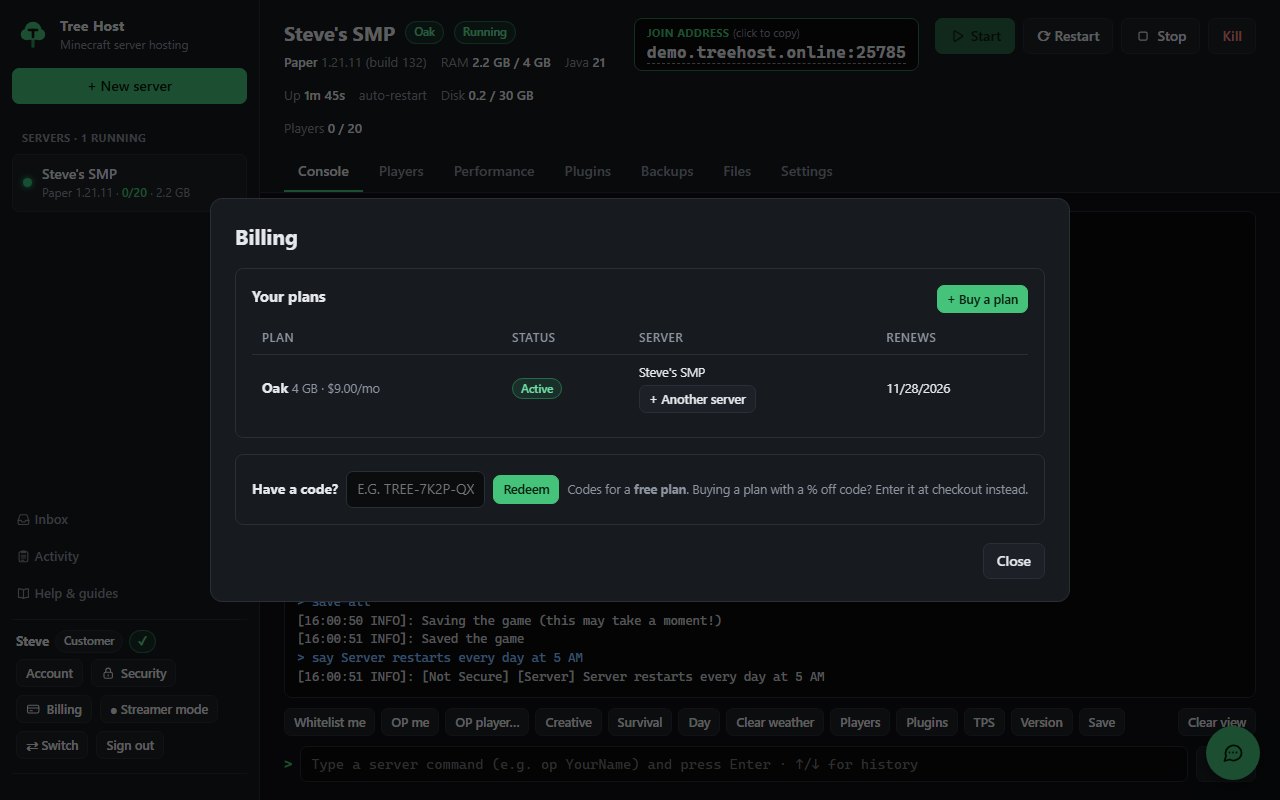
Have a code?#
Got a code from Tree Host (for example as a creator, partner or giveaway winner)? Open Billing, type it under Have a code? and press Redeem. The plan is yours right away, for free; create your server from Billing.
Some codes give a plan for a set time (a week, a month, a year...): Billing shows Free until and the date. Others are for life and show Free (lifetime): they never run out. When it ends, the server stops and we email you: buy a plan within 14 days to keep the server and its worlds.
Change your card, see invoices, cancel#
Billing → Payment method & invoices opens our payment provider's secure page, where you can:
- update your card,
- download invoices and receipts,
- cancel a plan.
When you cancel, the server keeps working until the end of the period you already paid for. After that it is stopped, and 14 days later the server and its backups are deleted.
Tip: before canceling, download anything you want to keep (your world folder, configs) from the Files tab.
If a payment fails#
- We email you and the plan shows Payment failed in Billing.
- Your server keeps running for 3 days. Update your card in Payment method & invoices and the payment is tried again automatically.
- After 3 days without payment the server is stopped. It starts again as soon as the payment goes through.
Moving to a bigger plan#
- Buy the bigger plan in Billing.
- Email billing@treehost.online: we'll move your world and plugins to the new plan's server.
- Cancel the old plan in Payment method & invoices.
Refunds#
See the Terms of Service. If something went wrong, email billing@treehost.online and we'll sort it out.